
SellerApp vs. SellerSprite: Which Amazon tool is best for you in 2026?
Descriptions

The SellerApp vs SellerSprite comparison doesn’t just come up when things go wrong for sellers. A lot of the time, it comes up when things are going right, and you’re trying to figure out how to grow without messing that up.
Maybe your ads are working, but margins are getting tighter as you scale. Maybe your product research worked once, but now you’re not as confident repeating it. Or maybe you’re just tired of juggling between tools and still not having a clear answer to simple questions.
That’s usually where the SellerApp vs SellerSprite comparison starts.
Both SellerApp and SellerSprite are solid in their own way, but they’re built for different needs. SellerSprite is strong on research, products, keywords, and market data. SellerApp is more about what happens after that, running ads, tracking profit, and managing everything in one place.
And in 2026, that difference shows up fast. With costs rising and competition becoming more intense, it’s not enough to just find tools that can help; you have to manage them properly once you’re in.
This guide breaks it down without overcomplicating it. What each tool does well, where they fall short, and which one actually fits how you run your business.
Let’s get into it.
Quick Gudie:
- SellerApp vs SellerSprite: What is SellerApp?
- SellerApp vs SellerSprite: What is SellerSprite?
- SellerApp vs. SellerSprite tools comparison: Feature-by-Feature Breakdown
- How does the SellerApp vs SellerSprite Pricing work
- What should sellers take away from this?
- Who Should Use Each Tool?
- Are you still not sure which one to choose?
- Final Thoughts
SellerApp vs SellerSprite: What is SellerApp?
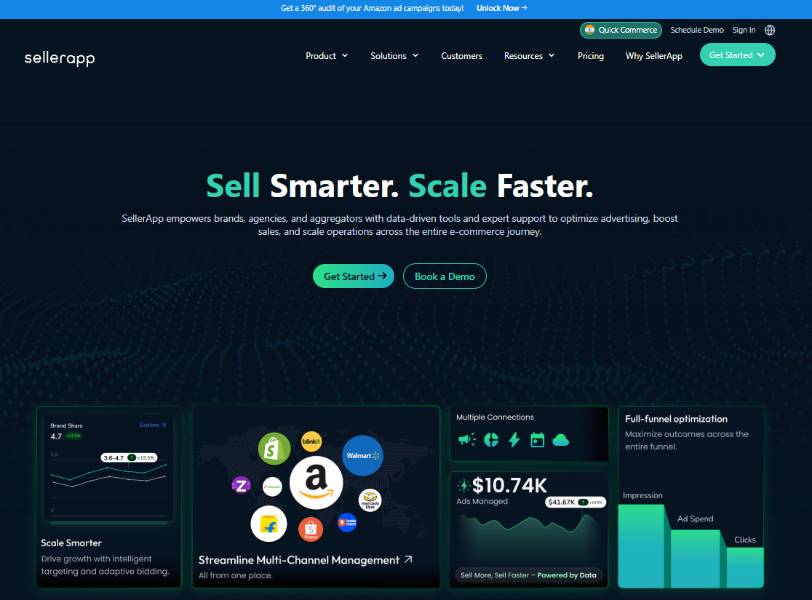
Managing an Amazon business shouldn’t feel like switching between five tools just to understand what’s going on. That’s usually where tools like SellerApp and SellerSprite come in, but they approach the problem very differently.
SellerApp is built as a full-stack platform. It connects product research, keyword tracking, PPC automation, and profit analytics into one system, so decisions aren’t made in isolation. Everything feeds into everything else.
SellerSprite, on the other hand, is more focused on the research side, product discovery, keyword data, and market insights. It’s strong when you’re trying to figure out what to sell or which keywords to target, but it doesn’t extend as deeply into execution.
That difference shows up immediately in how both platforms onboard you.
With SellerSprite, you’re mostly dropped into the tool with access to features and datasets. If you know what you’re looking for, it works. But you’re still expected to figure out how to connect things on your own.
SellerApp takes a more guided approach. Instead of just giving you tools, it pushes you toward specific use cases right from the start, whether that’s improving ad performance, finding profitable products, or fixing listing conversion. You’re not just exploring features; you’re working toward an outcome.
Across the dashboard, this continues. You’ll see workflows like the following:
- Keyword harvesting directly from campaigns
- ASIN-level targeting opportunities
- Automation setups tied to performance goals
And if you’re not sure what to do next, you’re not stuck guessing. You can:
- Book a demo
- Get guided support
- Or follow structured use cases built into the platform
SellerApp focuses on helping you use that data to actually run and grow the business. And that distinction becomes more important when you are ready to take a step for execution after you have researched the tools that can elevate your business.
SellerApp vs SellerSprite: What is SellerSprite?
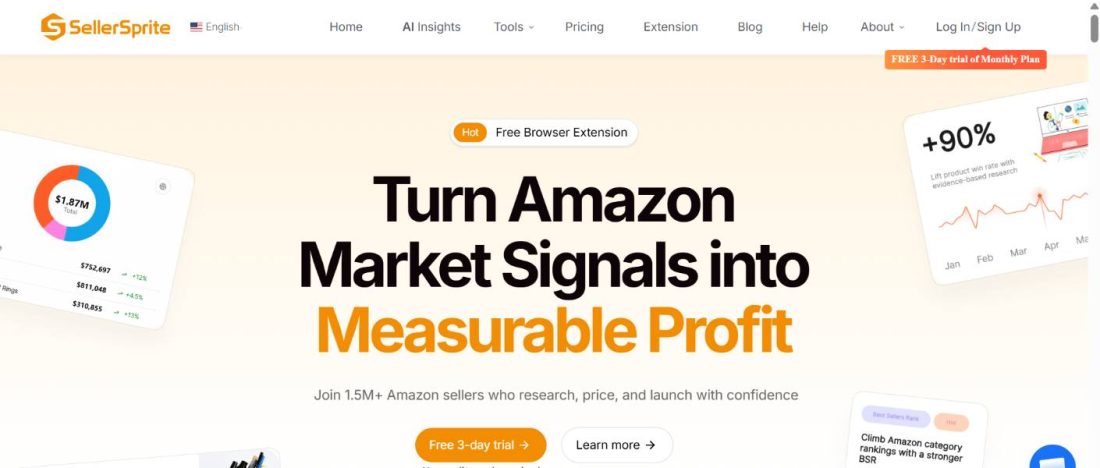
If you area seller who is not looking for a full-stack platform from the start, then sellersprite works best for you. If you’re still in the research phase validating products, analyzing competitors, or building a keyword base the platform is built for that use case.
SellerSprite is a research-focused Amazon tool that offers product discovery, keyword analysis, and competitor tracking through its web platform and browser extension. It gives you access to a large dataset, including millions of ASINs and historical keyword trends, which helps you understand how demand and competition have evolved over time.
One of its stronger areas is reverse ASIN and keyword data. You can break down competitor listings, see which keywords are driving traffic, and identify potential gaps before launching. For sellers trying to reduce guesswork early on, that level of visibility is useful.
It also positions itself around data scale and accuracy, with a large keyword database and historical tracking designed to mirror real marketplace behavior as closely as possible.
But the scope is fairly clear.
SellerSprite is strongest when you’re researching and validating. Once you move beyond that into running ads, optimizing based on conversion data, or tracking real profitability, it doesn’t extend as deeply into those areas.
So while it helps you understand the market and prepare for launch, it’s not built to manage the ongoing complexity that comes after.
SellerApp vs. SellerSprite tools comparison: Feature-by-Feature Breakdown
To better understand, we have provided a feature-by-feature breakdown of SellerApp vs. SellerSprite.
Let’s look at the differences between SellerApp vs SellerSprite.
| Feature | SellerApp | SellerSprite |
| Core Approach | Built as a connected platform where research, ads, and profit data feed into one system | Built primarily as a research-focused toolbox for product and keyword discovery |
| Product Research | 360° view with opportunity score, search visibility, FBA fees, competition, and B2B insights | Large ASIN database (20M+ US), strong historical trends and market validation data |
| Keyword Research | Tracks keyword performance over time and connects it directly to PPC and listing optimization | Strong reverse ASIN and keyword database with historical search volume data |
| Key Differentiator (Keywords) | Creates a feedback loop: PPC data → keyword insights → listing optimization | Focused on discovery and competitor keyword extraction before launch |
| PPC & Automation | AI-powered automation using Amazon Marketing Stream: real-time bid adjustments, keyword harvesting, negative targeting | No PPC automation; not built for campaign execution |
| Listing Optimization | Based on real performance data and competitor benchmarking, it improves listings post-launch | AI listing builder for creating optimized listings before launch |
| Profit & Analytics | Tracks real-time profit across ads, FBA fees, storage, and shipping | Offers pre-launch profitability estimates and calculators |
| Competitive Intelligence | Tracks pricing, rankings, keyword gaps, and provides alerts with direct execution capabilities | Tracks BSR, sales trends, and competitor movements with strong benchmarking data |
| Workflow Integration | Fully integrated system (research → ads → listing → profit tracking in one place) | Tools operate more independently, focused on research workflows |
| User Segmentation | Designed for DIY sellers, managed services, agencies, and ent |
1. Product Research
Most sellers don’t lose at the research stage because of lack of data. They lose because the data doesn’t translate into a clear decision.
SellerSprite gives you a strong read on the market. You can analyze historical trends, demand patterns, and how categories have evolved over time. It’s useful when you’re still validating ideas and trying to understand where the opportunity might be.
SellerApp approaches it differently. With access to over 500M ASINs, it’s built to answer a more important question that is running in your mind: “Should you actually enter this market?”
Instead of looking at demand or revenue in a single way, you’re evaluating the full picture in one place with competition, FBA costs, number of sellers, search visibility, and overall opportunity. You’re not piecing things together; you’re making a call with context.
It also brings in signals most sellers overlook, like B2B demand and real buying behavior through product relationships, which start to matter once you move past just launching.
The distinction matters when you’re putting real capital on the line. SellerSprite tells you what a market has looked like. SellerApp tells you whether it’s worth entering and what it’ll cost you when you do.
2. Keyword Research
Keywords are the invisible architecture of your entire Amazon business. Your listing ranks on them. Your ad spend depends on them. Your organic growth depends on them. Both tools take this seriously, but they solve different parts of the problem.
SellerSprite’s Reverse ASIN tool is one of its strongest features, letting sellers identify the most powerful keywords driving traffic to any competitor’s listing, backed by a keyword search volume database with historical data going back two years.
In practice, this means you can enter a competitor ASIN, extract the exact terms driving their traffic, analyze which keywords they rank for organically versus through paid ads, and identify low-competition sub-niches worth targeting before you even write your title. For pre-launch research, it’s a sharp tool.
But once you’re live, the problem shifts. Most sellers aren’t struggling to find keywords; they’re struggling to understand which ones are actually driving sales and which ones are quietly draining ad spend.
SellerApp picks up where SellerSprite stops. Its keyword suite covers everything from discovering high-intent buyer search terms competitors haven’t found yet to tracking keyword ranking movements over time to pinpointing the exact keywords with the greatest impact on PPC advertising performance.
The critical difference is integration. When a keyword is performing well in your campaigns, SellerApp surfaces it directly into your listing optimization workflow, so your title, bullet points, and backend search terms are informed by what’s actually converting in your ads, not just by high search volume.
Now, instead of managing disconnected keyword lists across research, ads, and listings, you’re working with one continuous feedback loop. That means less wasted spend, faster ranking improvements, and decisions based on conversion.
3. PPC & Advertising Automation
If there’s one point where this SellerApp vs. SellerSprite comparison becomes clear-cut, it’s here.
Amazon advertising in 2026 is non-negotiable. Auction prices shift hourly. A keyword profitable at 9 am may burn your cash by noon. Competitors adjust bids in real time. If your tool isn’t keeping up, your budget is paying the price.
SellerApp’s AI-powered PPC automation handles thousands of bid adjustments daily, processing Amazon Marketing Stream data in real time, dynamically managing bids, keywords, budgets, and targeting based on live auction behavior and actual shopper intent signals, not yesterday’s performance reports.
It automatically categorizes your keywords into performing, underperforming, and nonperforming buckets, surfacing negative keywords that are draining budget, harvesting positive keywords from automatic campaigns and moving them to manual ones, and continuously refining match types using machine learning.
This isn’t rule-based automation where you define a few thresholds and hope for the best. It’s a system that reads the market in real time and responds before the damage is done.
SellerSprite lacks comparable PPC automation capabilities. It is built for research, not campaign management, and that’s a legitimate choice for the audience it serves.
sellers scaling ads but losing control over spend, waking up to wasted budget, or manually managing campaigns that can’t keep up with auction changes. Campaigns stay efficient without constant manual intervention. Budget is reallocated faster, wasted spend is reduced, and profitability becomes more predictable even as you scale.
4. Listing Optimization
SellerSprite’s AI Listing Builder automates the entire creation process from keyword selection to final publication in Seller Central, working with ChatGPT to generate titles, bullet points, descriptions, and backend search terms optimized for both Amazon’s algorithm and real buyer intent. For sellers building a listing from scratch before launch, it eliminates significant manual work and guesswork.
SellerApp’s approach to listing optimization is built around performance data, not just keyword density. It analyzes competitor listing strategies, uncovering their strengths and weaknesses, and translates those insights into actionable improvements for your own listing, benchmarked against the category average across multiple quality signals.
More importantly, when keywords are performing well in your active PPC campaigns, SellerApp feeds that data directly back into your listing workflow, so every edit you make to your content is grounded in real conversion data, not estimated search volume.
If your listings look “optimized” but don’t convert, and you’re constantly doing trial-and-error updates with no clear direction. Every listing change is tied to actual performance signals. Over time, this compounds into better conversion rates, stronger organic ranking, and more efficient ad spend.
In simple terms, SellerSprite helps you build a strong listing before you launch. SellerApp helps you continuously improve it based on what’s actually working once you’re live.
5. Profit & Business Analytics
Revenue is easy to celebrate. Profit is harder to find. And on Amazon, the gap between the two can quietly destroy a business that appears to be growing.
SellerApp’s profit tracking accounts for every cost across your entire catalog, like FBA fees, PPC spend, storage charges, and shipping, surfacing your real margins by product so you know which ASINs are genuinely making money and which ones are burning cash while your revenue dashboard looks impressive.
Sellers are no longer confused, as guesswork is replaced by clarity after using SellerApp. They no longer rely on assumptions for inventory planning; instead, they use real sales velocity and seasonality data to plan ahead, avoid stockouts, and allocate budget where it actually drives returns.
SellerSprite offers solid pre-launch profitability estimation, FBA fee calculators, sales estimates, and price corridor modeling that help you decide whether a product is worth pursuing before you commit to inventory.
If you are growing revenue but shrinking margins, have unclear profitability at the SKU level, and make poor inventory decisions due to lack of real data. You operate based on actual profit, not assumptions. That means better budget allocation, smarter scaling decisions, and fewer “high-revenue, low-profit” traps.
6. Competitive Intelligence
Your competitors are moving constantly, adjusting prices, changing listings, shifting keywords, and increasing ad spend. The question isn’t whether you need competitive intelligence. It’s whether you have it early enough to act on it.
SellerSprite lets you follow benchmark listings daily, capturing BSR movements, sales shifts, ranking changes, and promotion tactics as they happen, so you can respond to market moves before rivals get ahead of you. Its Chrome extension brings this intelligence directly into your Amazon browsing experience, letting you analyze competitor sub-categories across 16+ data points, including demand, competition, and supply/demand ratios, without leaving the product page.
SellerApp operates at a different scale. Its competitor intelligence suite tracks pricing, sales rank, keyword strategies, and listing quality across rivals, with Reverse ASIN capabilities that uncover not just the keywords competitors are using but also the backend keywords they should be using but aren’t, gaps you can fill before they do.
Custom alerts across revenue, advertising performance, inventory, and competitive metrics mean you’re never the last to know when something shifts in your category.
If you are reacting too late to competitor moves, missing keyword gaps, and losing rank without knowing why. You move from reactive to proactive. Instead of catching up, you’re identifying gaps early and acting on them before competitors do.
How does the SellerApp vs SellerSprite Pricing work
Price is always part of the decision. But what you get for it matters more.
SellerApp
SellerApp starts with a freemium plan. New sellers get access to core features like Product Intelligence, Advertising Overview, and Campaign Manager without spending a dollar. It’s a genuine starting point, not a bait-and-switch trial.
That said, it’s still a free plan. You’re not going to run your business on it. There’s only so much depth you get, and you’ll hit that ceiling pretty quickly if you’re actively selling.
Once you move to the Pro plan, things start to feel more usable. You can actually track keywords properly, dig into listings, and make decisions without constantly second-guessing the data.
But honestly, where it starts to click is when you stop looking at it as just a tool and bring your own account into it. Booking a demo helps because it’s not generic, as the team at SellerApp is looking at your listings and your ads and analyzing what’s working and what’s not.
The free account audit is probably the most practical place to start if you’re already selling. It shows you exactly where you’re losing money or missing opportunities.
From there:
- Freemium
- Pro Plan: $99/month. Adds Insights, Keyword Tracking, Listing Quality, and Email Support
- Smart Plan with Automation: $149/month (introductory rate for the first 3 months; regular price: $250). Full AI Ads Automation, Quarterly Business Reviews, and Email + Chat Support
- Enterprise/Custom: Tailored pricing for sellers who need data warehousing, custom development, and priority VIP support.
- Managed Services (AMS Growth Plan): Starts at $750/month for growing brands. Full campaign management across Sponsored Products, Sponsored Brands, Sponsored Brand Videos, and Sponsored Display with weekly reporting and monthly strategy sessions
- Agency Plan: Starts at $300/month plus 0.5%–2.5% of monthly ad spend. No minimum contract duration
Annual billing saves up to 50% compared to monthly plans
SellerSprite
SellerSprite offers a 3-day free trial on its monthly plan, enough to explore before committing. All plans include free tools like the AI Listing Builder, Sales Estimator, Profitability Calculator, Google Trends, and URL Builder, regardless of which tier you’re on.
Annual plans (saving approximately 2 months compared to monthly billing):
- Basic: $390/year. 1 main account, 50 product trackers, 250 keyword trackers, 25 new listing trackers
- Standard: $790/year. 1 main + 3 child accounts, 100 product trackers, 500 keyword trackers, 50 new listing trackers
- Advanced: $1,290/year. 1 main + 6 child accounts, 300 product trackers, 1,000 keyword trackers, 100 new listing trackers
- VIP: $1,890/year. 1 main + 10 child accounts, 500 product trackers, 2,000 keyword trackers, 200 new listing trackers
- Child accounts are available on annual plans only
- API pricing is custom and is handled directly by email, based on the endpoints needed and the monthly request volume
What should sellers take away from this?
If you’re just getting started, both tools give you a way in without spending money, which is fair. But once you’re actually selling and trying to grow, this stops being about “which plan is cheaper” and starts being about what actually fits how you run your business.
Along with new sellers, SellerApp is also built for sellers who are experienced sellers. Maybe you’re running ads every day, maybe you’re trying to scale without burning through margin, or maybe you’re just tired of doing everything yourself. The pricing adjusts to that.
You can stay hands-on, or you can hand things off, or you can plug it into a bigger setup. It doesn’t force you into one way of working.
SellerSprite is more straightforward but also more rigid. The bigger plans are annual, which basically means you’re committing before you’ve really stress-tested how much you’ll use it. That’s fine if your needs are stable. But most Amazon businesses don’t stay in one place for long.
And that’s really the difference. If you’re actively trying to grow, testing things, scaling campaigns, and fixing what’s not working every week, you need flexibility. Not just in features, but in how you pay and how you use the tool. That’s where SellerApp tends to make more sense.
Who Should Use Each Tool?
As we approach the end of this guide, it is important for sellers to understand which platform is best for their business.
Choose SellerApp if
You’re already selling, and ads are part of your business. At this stage, knowing which keyword to target means nothing if your bids are bleeding money at 3am while you’re asleep. SellerApp’s AI handles the adjustments in real time, so your campaigns stay profitable whether you’re watching or not.
You’ve outgrown your current setup. If you’re jumping between three tools just to make one decision, you’re not just losing time; you’re missing connections in your data that only show up when everything lives in one place. Research, ads, profit, and operations all under one roof changes how clearly you can see your business.
You want to scale without scaling your workload along with it. More SKUs, more marketplaces, more ad campaigns SellerApp’s automation and managed services are built for exactly that kind of growth.
Choose SellerSprite if
You haven’t launched yet and want to get your research right before spending a dollar on inventory. Launching the wrong product is one of the most expensive mistakes an Amazon seller can make. SellerSprite’s depth of keyword and market data helps you validate demand before you commit, so your first decision is also a confident one.
You’re working with a tight budget and need solid research fundamentals without paying for tools you won’t use yet. There’s no shame in that. Start lean, learn the market, and level up when the business calls for it.
Are you still not sure which one to choose?
Look at your Amazon to-do list right now. If most of it is about finding the right product and understanding markets, SellerSprite gets you there. If most of it is about growing sales, fixing ad performance, and figuring out where your profit is actually going, that’s SellerApp’s territory.
And if you’re somewhere in between, SellerApp’s free plan exists for exactly that reason. No commitment, no credit card pressure, just your own data telling you what to do next.
Final Thoughts
If you’ve made it this far, you probably already know which tool fits where you are right now.
SellerSprite is a solid research companion that is honest, capable, and fairly priced for what it does. If you’re in the early stages of figuring out what to sell, it gives you the data foundation to make that decision with confidence. There’s nothing wrong with starting there.
But Amazon selling doesn’t stop at research. It moves fast, it demands constant attention, and the gap between sellers who have the right systems and those who don’t becomes very obvious, very quickly, especially when ad costs are up and margins are thin.
That’s the world SellerApp was built for.
Not just to help you find a product, but to help you sell it profitably. To automate the work that would otherwise keep you up at night. To show you the real numbers behind your business, not just the ones that feel good to look at. And to grow with you, whether you’re managing one ASIN or a hundred, in one marketplace or ten.
The tools you choose at the start of your Amazon journey shape how far you go. Choose one that’s built to take you the distance.
The post SellerApp vs. SellerSprite: Which Amazon tool is best for you in 2026? appeared first on SellerApp Blog.
from SellerApp Blog https://ift.tt/2JahCRO
via IFTTT
Add a review